


Albert: Budgeting and Banking
4.438.91K Reviews
App Specs
- Version
- 10.0.65
- Updated On
- License
- Free
- Downloads
- 10,000,000+
- Developer
- Albert - Budgeting & Banking
- Categories
- Finance
- Platform
- Android, iOS
Screenshots
 Analysis by AppCompare
I judge a money app less by how many charts it can show me than by what happens when I need a useful answer at an inconvenient moment. With Albert: Budgeting and Banking, that means looking at how its connected view of spending, budgeting, saving and banking fits into ordinary days—not just what it promises on a store page. I see it as a practical starting point for people who want their finances in one place, though it works best when they are comfortable relying on a phone and a network connection to check in.
When a quick check depends on a connection
Albert is a finance app from Albert - Budgeting & Banking, and its central appeal is bringing several money tasks together. That connected approach can make a routine check feel straightforward: open the app, review what has been recorded, and use that picture to think about the next expense. It also means the experience depends on current account information being available when you want it. I would not treat a budget view as a substitute for checking a bank directly when a payment decision is urgent.
That distinction matters in small moments. If I am standing at a checkout and want to know whether a purchase fits the week, the app can help me consult my broader spending picture, but a slow connection or delayed account information can interrupt that habit. My practical tip is to check the figures before leaving home when I know I will be making a larger purchase, rather than waiting until I am under pressure to decide.
Useful in different mobile routines
The app’s value depends partly on how often I want to look at my finances. Someone who checks transactions in short bursts may appreciate having budgeting and saving tools close to the same account overview. Someone who prefers a weekly sit-down can use that time to review patterns and decide whether a category needs attention. Neither approach requires turning money management into a constant phone task; in my view, a few deliberate check-ins are more useful than reacting to every notification.
A realistic example is payday followed by a busy week: I could review the month’s regular spending, leave room for an upcoming bill, and then check the picture again before a discretionary purchase. The benefit is not that the app makes the decision for me. It is that a connected overview can make the trade-off easier to see. I would still keep a separate record of a planned irregular expense, such as a repair, if I need to be certain it is accounted for before it happens.
What to do when the flow is interrupted
Any app-based account routine can hit friction: a connection may be slow, an account view may not be ready when I expect it, or a transaction may be harder to classify in the way I prefer. When that happens, I would avoid making a second transfer or purchase just because the screen has not caught up. I would check the relevant bank directly for time-sensitive decisions, then return to Albert later to review the overall budget. That is a sensible backup habit for any tool that combines personal finance information.
It is also worth approaching automated saving thoughtfully. A small amount set aside can feel painless, but I would first make sure upcoming essentials and scheduled payments are covered. Automation is most helpful when it supports a plan I already understand; it is less reassuring if I have not checked whether the timing suits my cash flow. Treating the feature as a prompt to build a savings routine, rather than as money that can never affect day-to-day spending, keeps expectations grounded.
Worth Reading Before You Choose

EA SPORTS FC Mobile 26 Is a Bigger Football Game, but It Takes Time

Flipboard Shows What News Apps Must Do Beyond the Feed

Switching to Android Auto Means Rethinking Your Driving Routine

Google Calendar Makes a Crowded Week Easier to Manage

Ludo King Makes the Most of the Minutes Between Plans

Baby Panda World Brings Quick Play to Modern Phones, but Its Game Library Feels Busy
Data-conscious habits and a clear boundary
Because the app brings financial activity into a mobile interface, I would use it with the same care I use for banking: keep access to my phone private, avoid making account decisions while distracted, and take time to review what I am connecting during setup. The convenience comes from seeing financial information together, so I would only connect accounts I actually want included in that view. If someone is uncomfortable linking financial accounts to an app, a spreadsheet or a bank’s own tools may feel like a better fit.
Albert is free to download and is rated for Everyone. It has a 4.5 average from around 155,000 ratings, with over 5 million installs, which suggests that many people have chosen to try it. I would treat popularity as context rather than a guarantee that its approach suits every household. The current version is 10.0.56, and it runs on Android 7.0 or later; those details are useful to check before installing, especially on an older device.
Getting Started with Albert
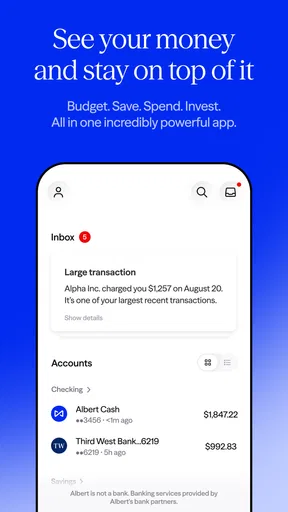
The moment I downloaded Albert, I was greeted with a clean and intuitive interface. Setting up was a breeze; I connected my bank accounts in no time. The app supports a wide range of banks, so chances are, yours will be on the list. The seamless integration left me feeling like I'd just hired a savvy personal finance assistant.
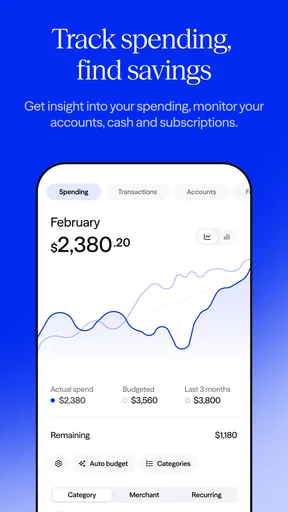
What struck me immediately was the app’s ability to categorize my expenses. It’s like having a magnifying glass over my spending habits. I finally knew where my money was going every month, which was both enlightening and slightly terrifying!
Features that Stand Out
One feature I really appreciated was the budgeting tool. Albert doesn’t just set rigid budgets; it adapts to your lifestyle. The app analyzes your spending patterns and suggests budgets that are actually realistic. It even sends friendly notifications when I'm nearing my limits, which is like having a buddy gently reminding me to ease up on the coffee shop visits.
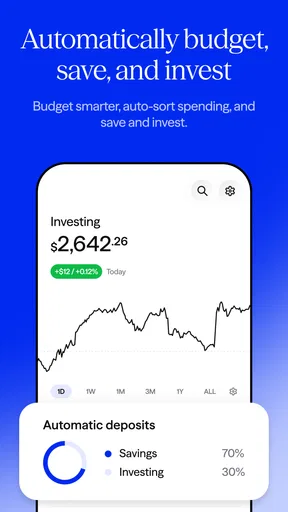
The savings feature is another gem. Albert identifies opportunities to save by analyzing your income and spending. It automatically sets aside small amounts that won’t disrupt your daily life. It’s like magic – I barely notice the money leaving my account, yet I’m building a nice little nest egg!
The Genius of "Albert Genius"
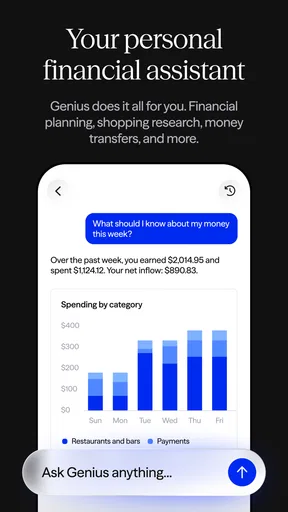
Now, let’s talk about the “Genius” feature. This is where Albert truly shines. For a small fee, you get access to human financial experts who can answer your questions about everything from savings advice to retirement planning. It's reassuring to have real people in the loop, helping you make informed decisions. I found this particularly useful when navigating more complex financial waters.
Security and Peace of Mind
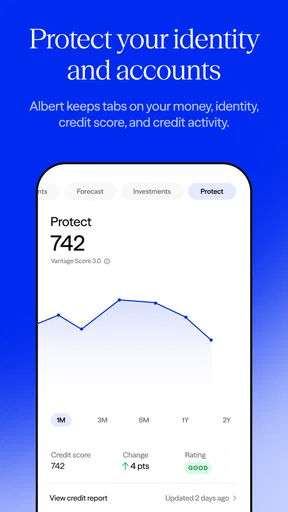
Of course, when it comes to banking apps, security is a big concern. Albert uses bank-level security and encryption to protect your data. I felt confident knowing my information was safe. Plus, there’s the added peace of mind knowing that Albert is backed by reputable banks.
Where Albert Could Improve
While I've enjoyed my time with Albert, no app is perfect. One area where Albert could improve is the customization of categories. Sometimes I’d like more flexibility in how expenses are grouped, but it’s a minor quibble in the grand scheme of things.
Additionally, while the free version is robust, some features are locked behind a paywall. The "Genius" subscription is worth it if you need personalized advice, but casual users might find the free features sufficient.
Final Thoughts
In a world where financial stability often feels out of reach, Albert: Budgeting and Banking is a breath of fresh air. It’s user-friendly, insightful, and downright helpful. Whether you’re a finance newbie or a seasoned money manager, Albert has something to offer. For me, it’s become an indispensable tool in my financial arsenal. So if you’re ready to take control and make your money work for you, give Albert a try. You just might find yourself on the path to financial peace.
Who is likely to get the most from it?
I think Albert is best for someone whose main problem is not a lack of financial knowledge but a lack of visibility. If several small purchases blur together, its categorized activity and suggested budgets can make the pattern easier to notice. It is also a reasonable fit for a person trying to build a saving habit without manually moving every small amount. The app’s value comes from bringing attention and routine to those choices, rather than replacing judgment.
It is less suitable for people who want a fully hands-on budgeting system. If you prefer assigning every dollar to a purpose, maintaining custom categories, and reconciling each transaction yourself, a dedicated spreadsheet or a more configurable budgeting tool may give you more control. Albert’s convenience depends on accepting its interpretation of spending to a degree, and the limited category flexibility can become more than a minor annoyance for households with unusual or tightly separated expenses.
A practical way to make the budget more useful
When I look at a suggested budget, I would treat it as a first draft, not a verdict. A useful approach is to review a full stretch of ordinary spending, then separate recurring commitments from flexible purchases. If one category looks surprisingly high, I would inspect the transactions behind it before cutting the budget: a one-off purchase can distort the picture, while a repeated small expense may call for a different response. This keeps the app’s pattern recognition useful without letting a single month dictate a long-term plan.
Notifications can help catch drift, but I would decide in advance what action I want one to prompt. For example, nearing a food or entertainment limit could be a cue to pause and check the rest of the week, not an automatic reason to feel guilty. That simple rule makes reminders more actionable and reduces the chance that they become background noise. If a category is consistently unrealistic, adjusting my own spending plan is more sensible than repeatedly ignoring the alert.
How it compares with familiar alternatives
Compared with checking each bank’s separate app, Albert’s advantage is the possibility of seeing spending and budgeting in a shared routine instead of switching between accounts and trying to remember the totals. A bank app may still be the better place to verify a balance or handle a bank-specific task, while Albert is more useful for stepping back and noticing habits. I would use those tools for different jobs rather than assume one must replace the other.
Compared with a spreadsheet, Albert asks for less manual work once account information is connected, but a spreadsheet gives me more control over labels, calculations, and how I plan for irregular costs. A conventional budgeting app focused on detailed manual planning may suit people who want that control. Albert’s trade-off is convenience for a less customizable view: a good exchange for someone who wants a manageable overview, but not for everyone who likes to design a budget from the ground up.
Choosing whether to connect accounts
A natural question before starting is whether I need to connect every account. I would begin with only the accounts that are relevant to the spending picture I want to understand, then see whether the resulting overview is genuinely helpful. Adding more accounts can make the picture more complete, but it also increases the amount of financial activity I am bringing into one place. A smaller, intentional setup is often easier to review and less overwhelming than connecting everything immediately.
Another useful question is whether the app can replace a bank account or a financial professional. I would not assume either. Its budgeting and saving tools can support everyday decisions, and the Genius feature offers access to human financial experts for a fee, but that does not make every complex financial choice simple. For high-stakes decisions, I would use the app as one source of context and seek advice suited to the specific situation rather than treating a budget suggestion as personal financial planning.
My connectivity verdict
For me, Albert makes the most sense as a connected companion for routine money check-ins: reviewing categories, noticing when spending is changing, and supporting a saving habit. Its mobile convenience is strongest when I have a moment to look carefully, not when I need to act instantly with uncertain information. Keeping a bank’s own app available for urgent checks, thinking before relying on automated saving, and reviewing categories rather than accepting every label at face value are small habits that make the experience more dependable.
I would recommend trying it if you want an accessible finance app and are comfortable with linked-account tools. I would skip it in favor of a spreadsheet, a bank’s own services, or a more customizable budgeting app if account connection, detailed manual control, or highly tailored categories are essential to you. The useful question is not whether Albert can manage every part of your financial life, but whether its connected overview makes your next everyday money decision clearer.
Pros
- User-friendly interface for easy navigation.
- Real-time updates on spending habits.
- Smart savings feature helps automate savings.
- Personalized financial advice available.
- Secure banking with encryption technology.
Cons
- Limited features in the free version.
- Customer support can be slow to respond.
- Occasional syncing issues with accounts.
- No web version
- mobile only.
- Some features require a subscription.
FAQs for Albert: Budgeting and Banking
What is Albert: Budgeting and Banking, and how does it work?
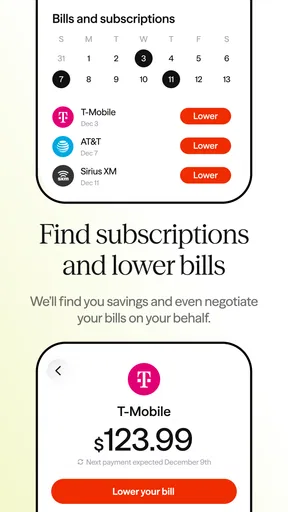
Albert is a comprehensive financial management app that helps users manage their budgets, savings, and investments all in one place. It connects to your bank accounts to analyze spending patterns, offering personalized financial advice. With features like automatic savings and bill negotiation, Albert aims to simplify financial management for users.
Is Albert safe to use for managing my finances?
Yes, Albert employs bank-level security measures to protect your financial data. It uses encryption and multi-factor authentication to ensure that your information is secure. Furthermore, Albert is a registered investment advisor, which means it adheres to strict financial regulations to safeguard your assets and personal data.
Does Albert charge any fees for its services?
Albert offers a free version with essential budgeting tools. However, for more advanced features, such as access to financial advisors and automated savings, users can subscribe to Albert Genius. The subscription fee is flexible, starting from as low as $4 per month, allowing you to pay what you think is fair.
Can Albert help me save money automatically?
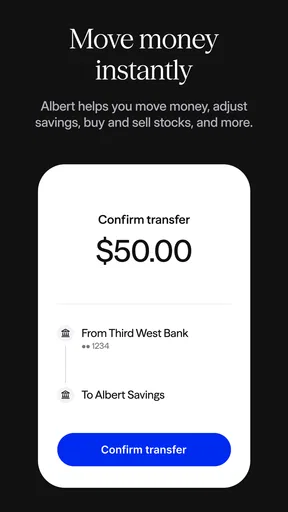
Yes, Albert includes a feature called "Savings" that automatically sets aside small amounts of money based on your spending habits and financial goals. You can adjust how much you want to save, and Albert will intelligently transfer funds to your Albert Savings account, helping you build a safety net effortlessly.
How does Albert provide financial advice and support?
Albert provides tailored financial advice through its "Genius" feature, where real financial experts are available to answer your questions. From budgeting tips to investment guidance, the app offers personalized support to help you make informed financial decisions. This service is part of the Albert Genius subscription.


